

Calendars

The family schedule, on one shared screen.

Choose one or more calendars already connected to your iPad. HomeDeck brings upcoming events into Ambient mode on iPad and Apple TV, including calendars from iCloud, Google, Exchange, CalDAV, and subscribed calendars.

A mother and daughter checking their family calendar on a wall-mounted iPad in a sunny kitchen

Already have the screen

A family calendar without another device.

If the main job is to keep upcoming events visible, you may not need a separate family-calendar display. Use a compatible iPad on the wall or counter, or put the schedule on the living-room TV with Apple TV. Keep adding and editing events in the calendar apps you already use; HomeDeck turns the selected calendars into a shared, glanceable view alongside weather, cameras, and home status.

  • Use a compatible iPad or Apple TV you already own
  • Keep Google, iCloud, Exchange, and other calendars in their existing apps
  • Add HomeKit controls and live home context to the same screen
iCloudGoogle CalendarMicrosoft ExchangeYahoo CalendarCalDAVConnect calendarsiCloud · Google · Exchange · Yahoo · CalDAV · .ics
Choose in HomeDeckOne or more
See them at homeiPad · Apple TV

How it works

Your accounts stay in the system Calendar app.

  1. 01

    Add the calendar accounts you need in iPad Settings.

  2. 02

    Choose one or more calendars for the shared screen in HomeDeck.

  3. 03

    See upcoming events in Ambient mode on iPad and Apple TV.

On iPadOS

Connect and choose on iPad.

iPad is where calendar access and selection are configured. HomeDeck shows the calendars already available to the system Calendar app and lets you choose several of them for one combined agenda.

  • System Calendar permission
  • Multiple calendar selection
  • Full Ambient timeline with upcoming events
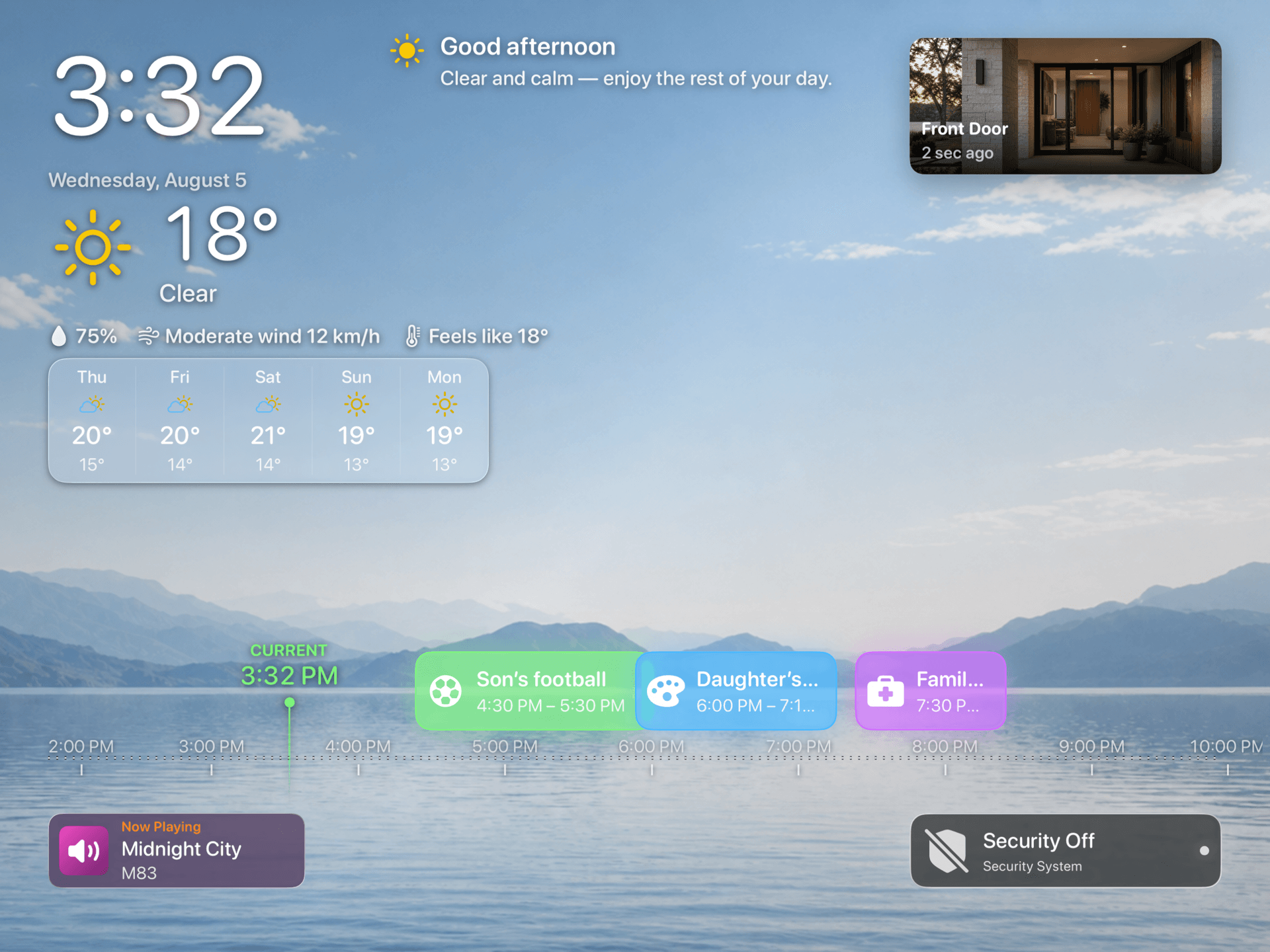
Real HomeDeck Ambient mode screen on iPad showing upcoming calendar events
On iPadOS · HomeDeck Ambient

On tvOS

A readable schedule on the big screen.

Apple TV does not sign in to Google, Exchange, or other calendar providers. It receives the selected event snapshot from the owner’s iPad through personal iCloud and presents it for distance viewing in Ambient mode.

  • No provider sign-in on Apple TV
  • Personal iCloud carries the selected event snapshot
  • Designed for glanceable viewing from across the room
Real HomeDeck Ambient mode screen on Apple TV
On tvOS · HomeDeck Ambient

Prefer a shared family calendar?

The iCloud family-calendar guide remains a useful setup for a shared household schedule, but it is only one of the calendar sources HomeDeck can show.

Read the family-calendar guide