Native Siri Remote navigation
Move through clear focus states with directional input and open the selected room, scene, or supported control.
HomeDeck turns Apple TV into a shared Apple Home control screen with rooms, scenes, cameras, weather, and readable controls built around Siri Remote.
Requires: Apple TV with tvOS 26 or later
Try every feature free for 7 days. After that, unlock Apple TV with a one-time in-app purchase — no subscription.
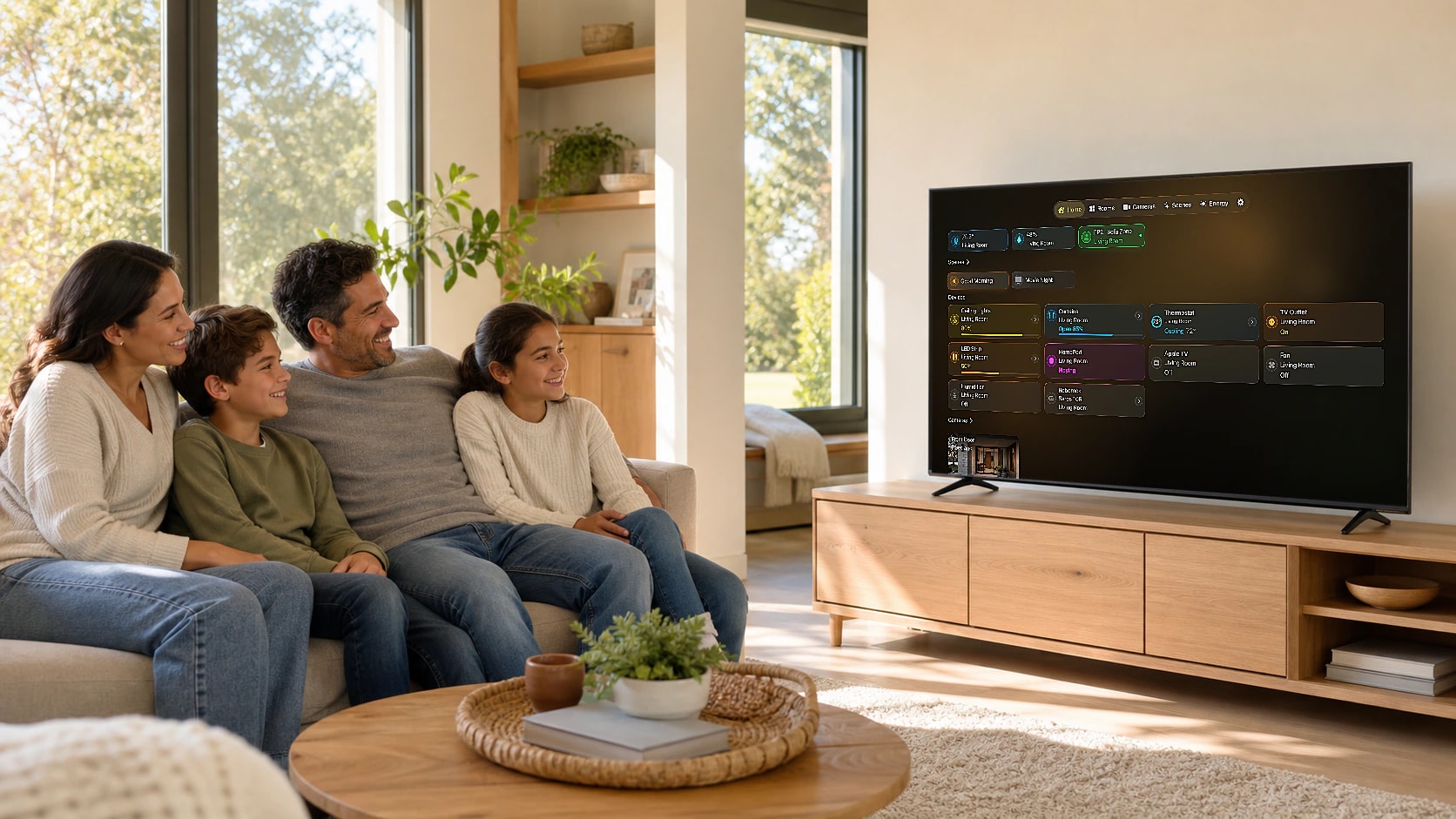
HomeDeck keeps rooms, supported cameras, scenes, weather, and home status together on Apple TV. The native tvOS experience is designed separately for distance viewing and remote control rather than stretching a touch interface onto the television.
The Apple TV experience uses the Apple Home access and permissions available to the current household, then presents supported information in a television-first interface.
Make sure the Apple TV belongs to the intended Apple Home and can reach the rooms, scenes, accessories, and supported cameras you want to show.
Download HomeDeck from the App Store, open it on Apple TV, and review the Apple permissions needed for the features you choose.
Move through visible focus states, press to open the selected item, and use Back to return to the previous level.
Move through clear focus states with directional input and open the selected room, scene, or supported control.
Large typography, deliberate spacing, and focused content make the dashboard useful from across the room.
Browse the parts of the home that matter and reach supported scenes without reproducing a touch interface on TV.
See supported camera feeds and let HomeDeck become a calm home-status display when active control is not needed.
HomeDeck uses television-first navigation and composition. Interactive elements are reachable with Siri Remote and remain clear when focused.
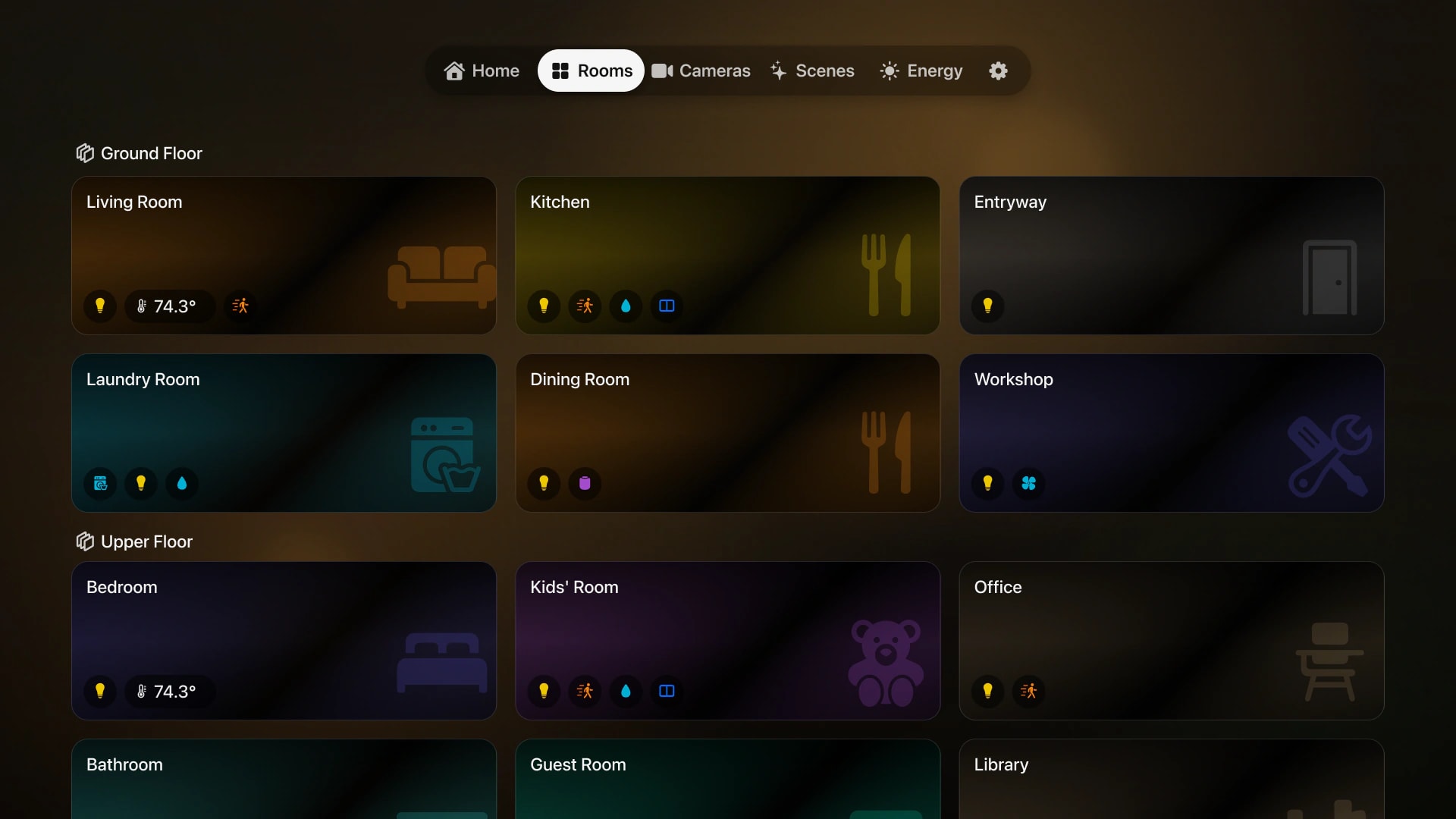
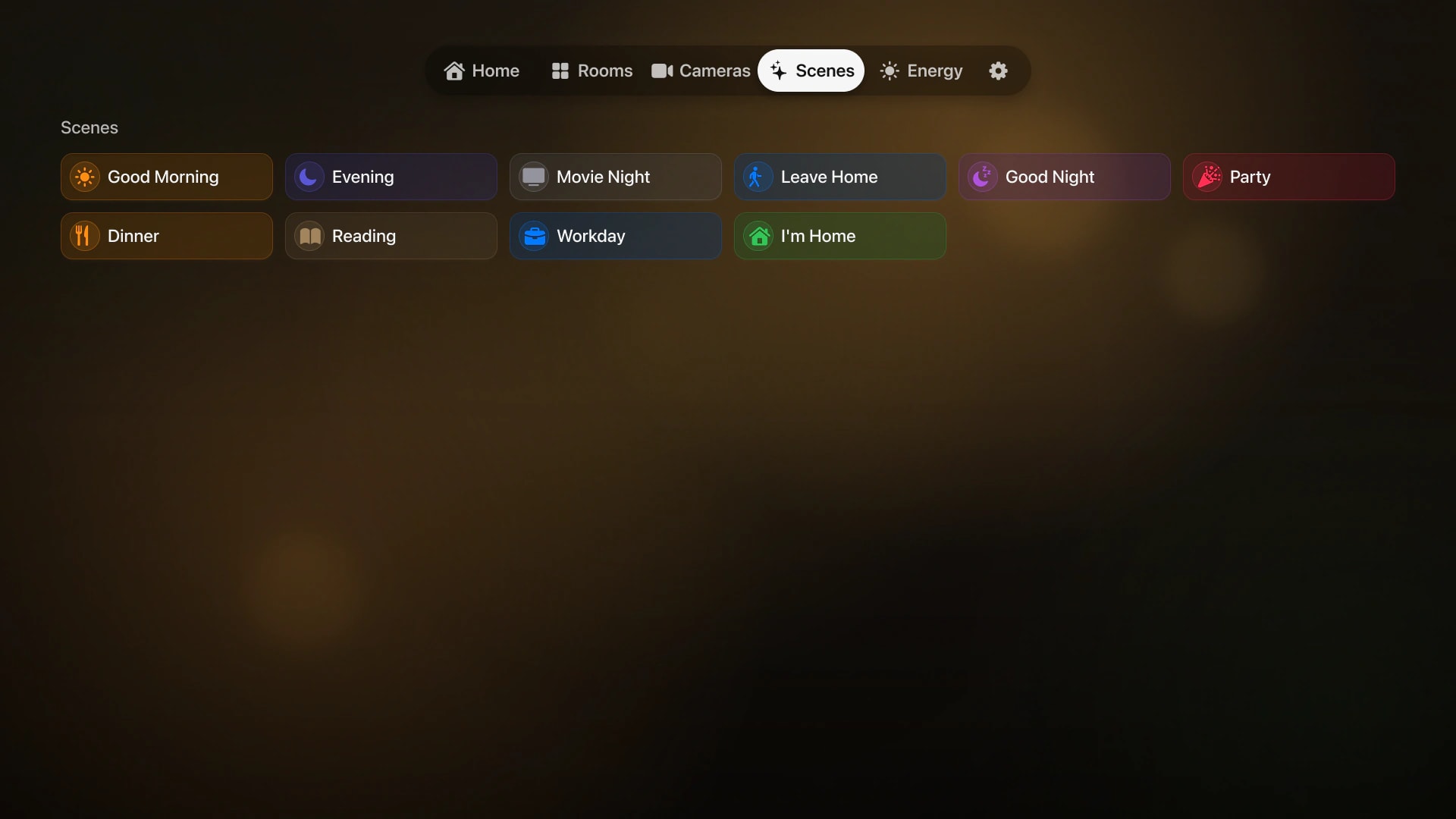
Check home status, weather, rooms, and scenes before leaving the sofa.
Bring supported HomeKit cameras to the television when a larger view is useful.
Use Apple TV to show calm, glanceable home information between active tasks.
HomeDeck 1.6
HomeDeck keeps improving with focused releases while its essentials stay the same: privacy, one-time purchase, and experiences designed for both screens.
Apple’s App Privacy label confirms that HomeDeck does not collect your data.
No subscription and no recurring charge.
Designed separately for touch on iPad and the remote on Apple TV.
Yes. HomeDeck is a native tvOS dashboard for supported Apple Home rooms, scenes, accessories, and cameras, with navigation designed for Siri Remote. Some device categories and commands are unavailable on tvOS.
Yes. The Apple TV interface is designed for directional focus, selection, and Back navigation with Siri Remote.
Supported cameras available through the signed-in Apple Home setup can appear in HomeDeck, subject to device permissions and Apple platform behavior.
No. HomeDeck uses separate tvOS layouts and interaction patterns for distance viewing and remote navigation.
Use Apple TV as a clear, shared view of the home with an experience made for television.